Web Dashboard Tutorial
Web Dashboard Walkthrough
The Packablock Web Console provides centralized governance, real-time cryptographic audit logging, and zero-trust identity verification across your software supply chain.
This tutorial guides you through the key features of the dashboard using live verification checkpoints, cryptographic chain trees, and package history explorer tooling.
1. Fleet Overview & Project Containers
The central landing console provides an immediate high-level summary of your fleet’s supply chain health, system security status, and project groupings.
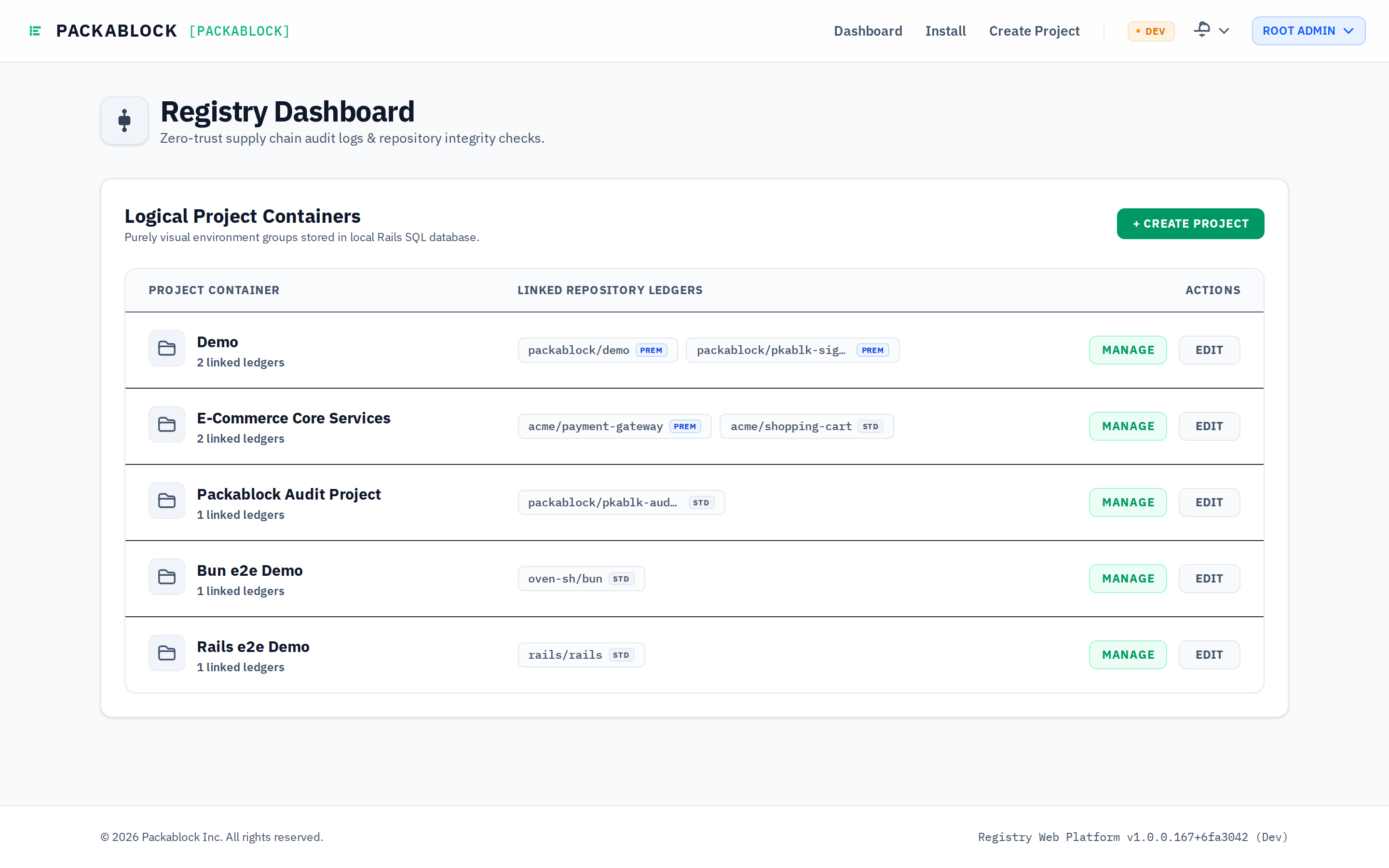
Key Concepts:
- Secured System Status: Confirms the Fastify trust registry is online and all local ledger blocks match their cryptographic signatures.
- Access Tiers:
- PREM: Premium repositories enable upstream SemVer tracking, live drift detection alerts, and automated multi-ecosystem attestation gates.
- STD: Standard repositories provide core append-only ledger signing and local CLI integrity checks.
- Logical Project Containers: Group multiple polyglot repositories (e.g. Bun microservices, Rails backends, Python processors) under a single project boundary.
2. Logical Project Governance
Clicking Manage on any project container displays all repositories assigned to that functional team or business unit.
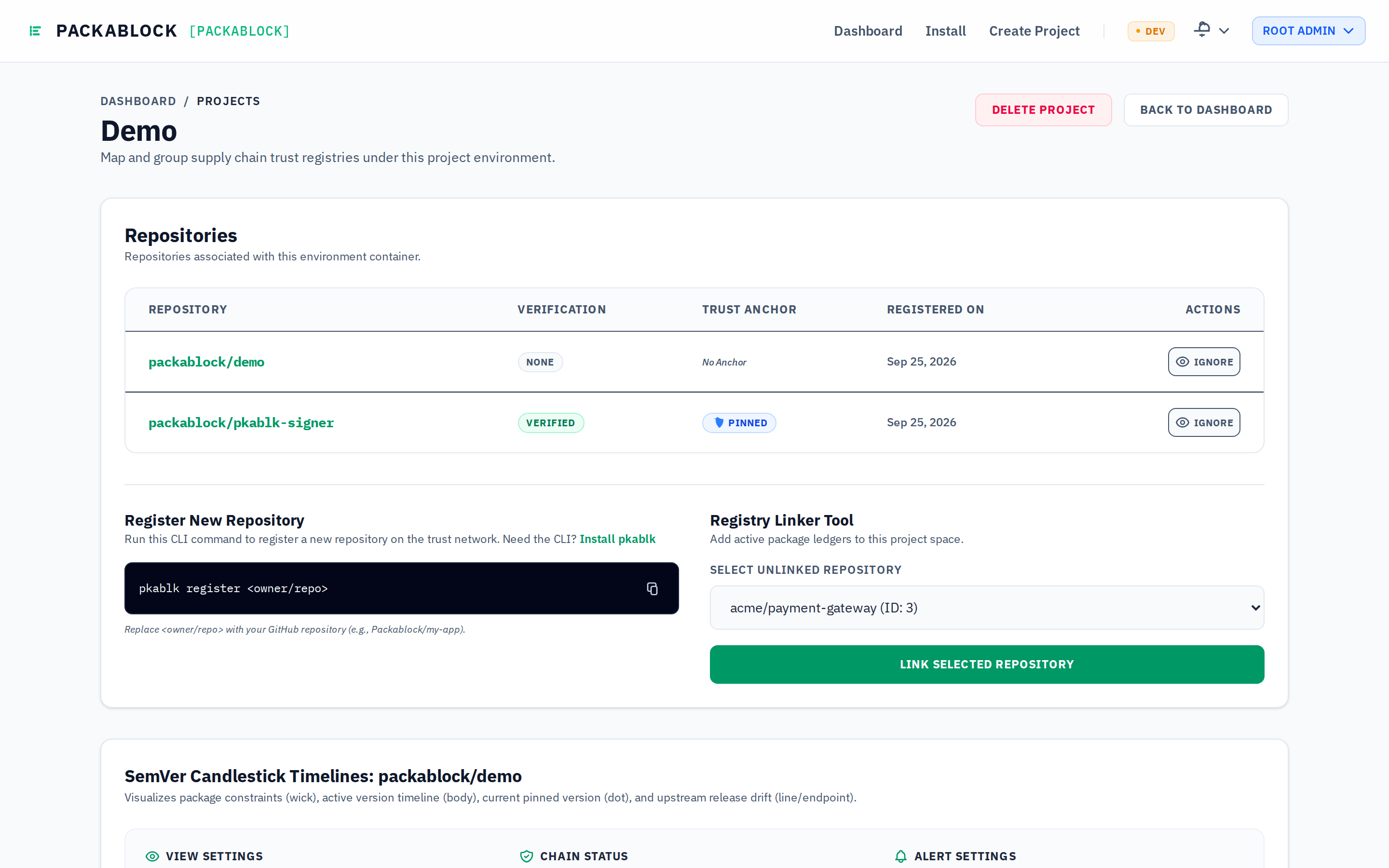
Key Actions:
- Repository Linkage: Link or unlink microservice repositories to enforce team-specific policy boundaries.
- Scoped Access Control: Multi-tenant authorization ensures developers only see and manage ledgers belonging to their authenticated organization.
3. Zero-Trust Push Credentials & Key Pinning
Selecting an individual repository opens its audit control plane. The top section inspects cryptographic identities and push authorization.
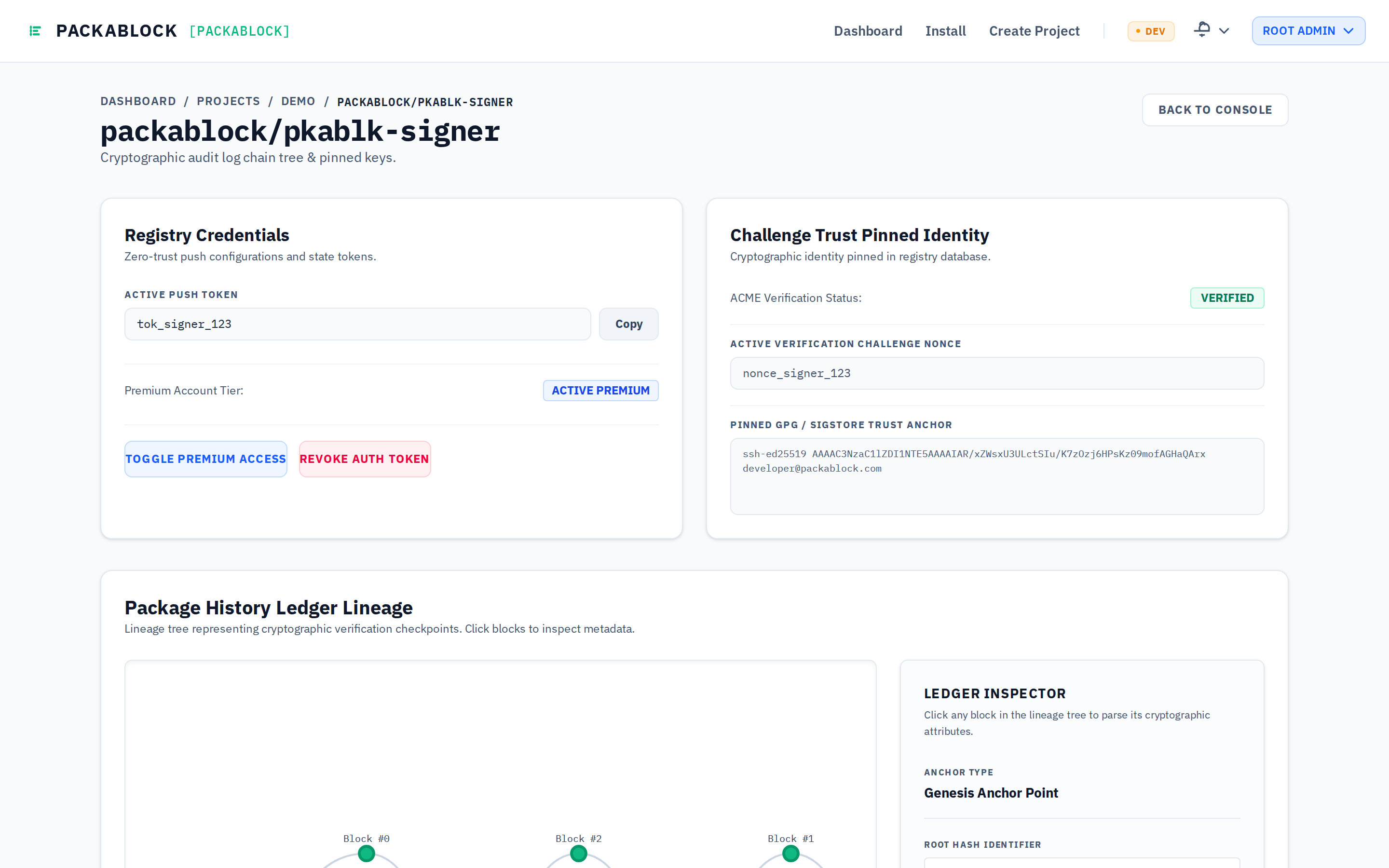
Key Elements:
- Active Push Token: A high-entropy bearer token required by the
pkablkCLI or GitHub Actions runners (pkablk push/pkablk check). Tokens can be instantly invalidated via Revoke Auth Token. - ACME Verification Challenge: Displays the active nonce challenge used to mathematically prove repository ownership before trust anchors are accepted.
- Pinned GPG / Sigstore Trust Anchor: Stores the raw cryptographic public key (SSH Ed25519, GPG, or Sigstore certificate) pinned in the registry database. Pushes signed by unauthorized actors are rejected before compilation.
4. Cryptographic Lineage Tree (DAG)
Packablock models package history as a tamper-evident Directed Acyclic Graph (DAG). Each node represents a cryptographically verified milestone in the repository’s lifecycle.
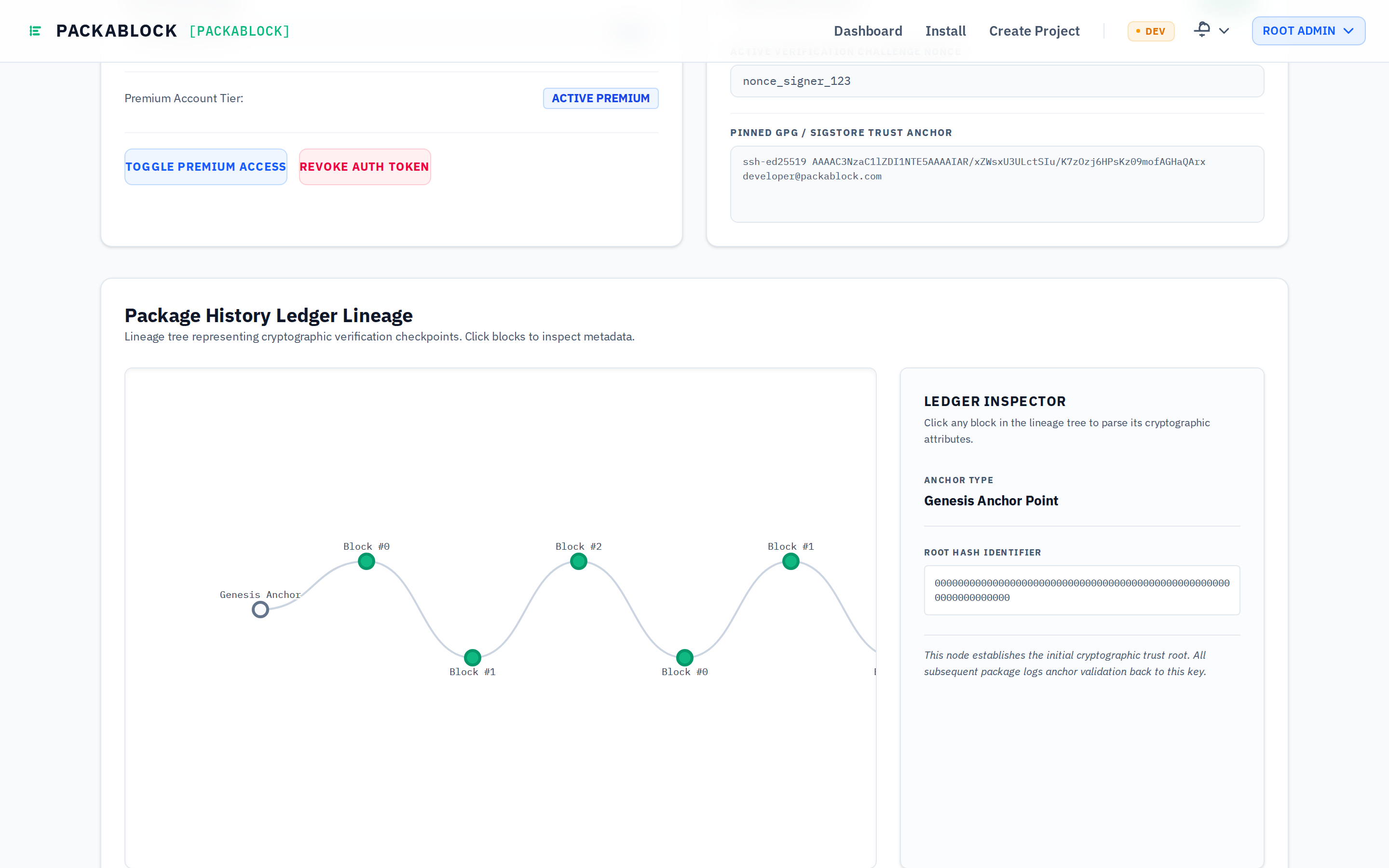
Navigating the Tree:
- Genesis Anchor Point: The initial trust root establishing the cryptographic baseline of the repository.
- Block Checkpoints (Green Nodes): Sequential dependency commits containing verified manifests and lockfiles.
- Epoch Rollover Nodes (Orange Nodes
[ROLLOVER]): Occurs during annual key rotations or major dependency migrations, archiving older blocks into immutable storage while seeding a new root hash. - Interactive Ledger Inspector: Click any block in the lineage tree to inspect its
Meta Hash,Data Hash, and previous link reference (prev_meta_hash).
5. Signed YAML Block Payload Explorer & Minimap
The bottom panel provides a live inspection window into the exact raw cryptographically signed YAML payloads (both Data and Metadata) stored across ledger blocks.
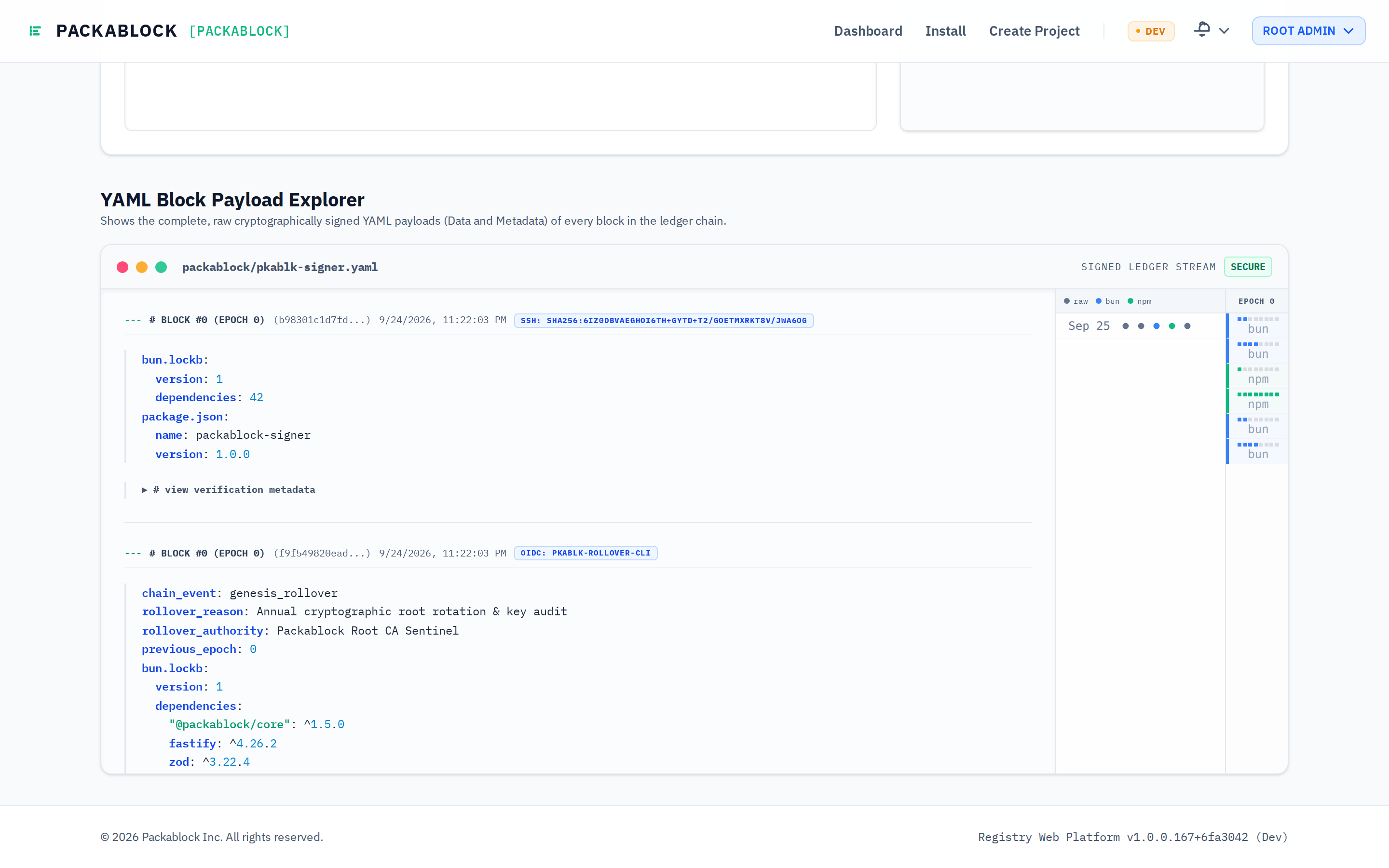
Features:
- Raw Payload Stream: Inspect manifest additions across npm (
package-lock.json), Bun (bun.lockb), and Ruby Bundler (Gemfile.lock). - Verification Metadata: Expand
# view verification metadatato review SLSA Provenance v1 attestations, CI runner OIDC claims, and Git author signatures. - Timeline Density Minimap:
- Epoch Columns: Visualizes blocks grouped by rollover epochs (
EPOCH 0,EPOCH 1). - Lockfile Badges: Color-coded indicators identifying the package manager used in each commit.
- Line-Density Dots: Click any dot slice to smoothly scroll the ledger viewer directly to that block.
- Epoch Columns: Visualizes blocks grouped by rollover epochs (
6. Organization Settings & Subscription Tiers
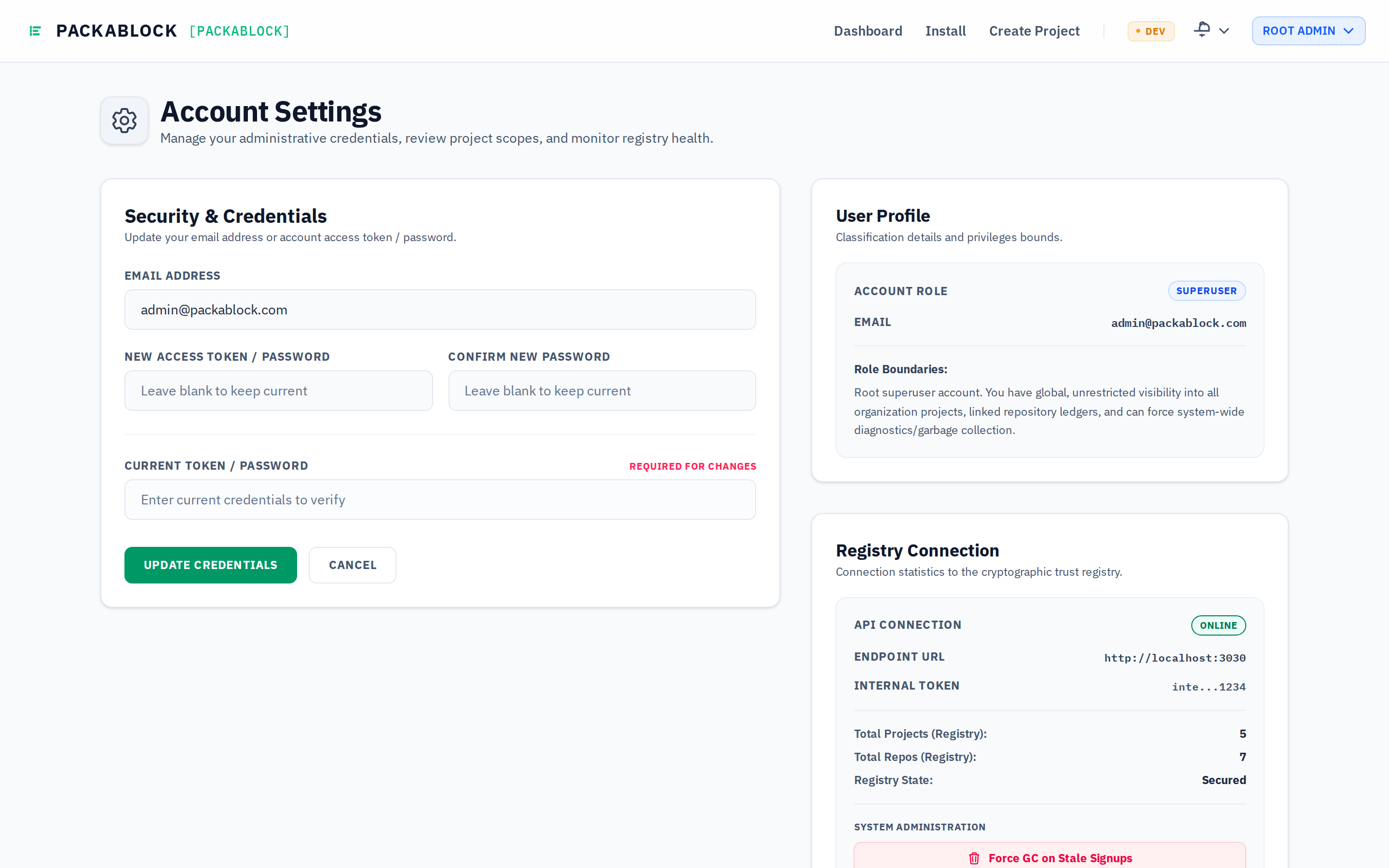
The administration views allow organizations to configure global webhook alerts, define baseline security rules, and manage subscription tiers.
Organization Settings
Configure automated webhooks, audit log retention, and global security policies.
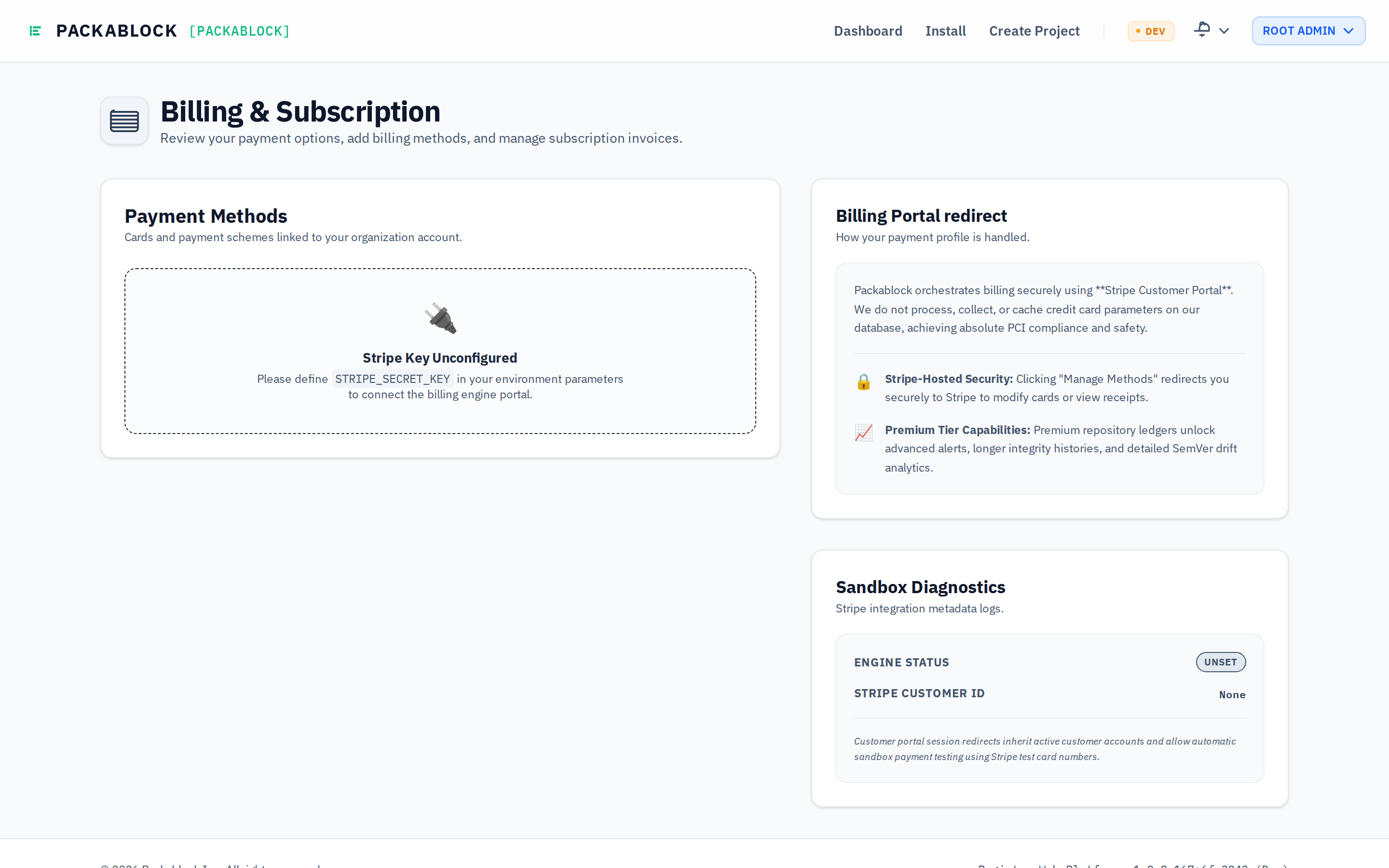
Billing & Tier Controls
Manage self-hosted standard vs. commercial enterprise features with direct Stripe customer portal access.
Ready to secure your software supply chain?
Start tracking deterministic dependency ledgers and blocking untrusted package tampering across your builds today.
Get Started with Packablock